

18R Instrument Cable with Right Angle Plug

AirTurn goSTAND Portable Microphone and Tablet Stand

The AirTurn goSTAND is a versatile, lightweight microphone stand that folds up super small to fit in your gig bag. It can be set to a wide range of heights for playing your theremin while standing or sitting. It has a standard US 5/8-inch connector, so you will need an MHD-4 adapter (below) to use it with a Moog Theremini and many European-designed theremins. If you find your Moog Claravox Centennial sits too tall on a conventional mic stand, try this instead. Go to Zzounds for more details, availability, and current price.

This simple adapter from Hosa makes a standard US microphone stand with a 5/8 inch 27 tpi connector compatible with the 3/8 inch 16 tpi mounting hole on the Moog Theremini and many European-designed theremins (e.g. Lost Volts, Golem, Subscope, and Nano.) Go to Zzounds for more details, availability, and current price.
Gator Quick-Release Microphone Attachment

Attaching or removing your theremin from a mic stand is a snap with this innovative quick-release adapter. The two-part system means no more twirling your theremin around or picking up and cranking on the mic stand when you need to make a quick instrument swap while on stage. It works with standard US 5/8-inch mic stands and is compatible with the Moog Etherwave Standard and Etherwave Plus. Get a set for each of your theremins. Add an MHD-4 adapter (above) to use it with a Theremini or European-designed theremins. Go to Zzounds for more details, availability, and current price.

Is your theremin just too darn loud for your amplifier? This handy attenuator can help. Plug this into the signal path between your theremin and amplifier, or in the effects loop of your amplifier if it has one. Then turn the knob to adjust the volume before the signal gets to the power section of your amplifier. This passive attenuator was not designed for theremins, but it does work with a little knob tweaking to find the right level. Try it on a Moog Etherwave or a GaudiLabs Open Theremin to tame the loud output signal. Go to Zzounds for more details, availability, and current price.
Hosa USQ-110 Tracklink USB Interface
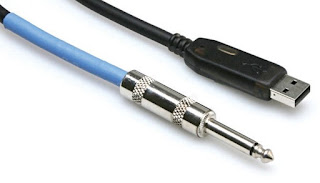
On-Stage GTA7000 Tuner/Metronome


On-Stage Universal Sustain Pedal
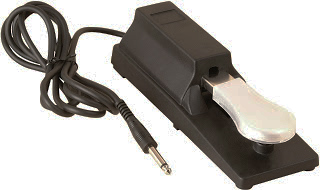
Claravox Centennial - With the Claravox editor app, you can change the pedal's behavior between "latching" and "momentary." In latching mode, a tap on the pedal will either mute or unmute the instrument. In momentary mode, holding the pedal down will either mute or unmute the instrument as long as the pedal is pressed. The behavior in momentary mode is set with a polarity switch on the pedal to either "normally open" or "normally closed." The choice is yours.
Yamaha FC5 Footswitch-Style Sustain Pedal

Claravox Centennial - With the Claravox editor app, you can change the pedal's behavior between "latching" and "momentary." In latching mode, a tap on the pedal will either mute or unmute the instrument. In momentary mode, holding the pedal down will either mute or unmute the instrument as long as the pedal is pressed. The behavior in momentary mode is set with a polarity switch on the pedal to either "normally open" or "normally closed." The choice is yours.
Fender 1-Button Footswitch

Mute and unmute the 2022 Etherwave theremin with this latching footswitch with a super-long 12ft cable. This switch does not have a "momentary" mode.
Go to Zzounds for more details, availability, and current price.
